For iPhone, iPad and Android
Scan a food product
to check if it is halal
Scan a barcode or photograph the ingredient list, and Halal Food AI tells you whether the product is Halal, Suspect, Not Halal or Unknown, with the ingredients that decided it.
Want the details first? See what the halal barcode scanner checks on every scan.
- Barcode or photo
- No account needed
- Available in 25 languages
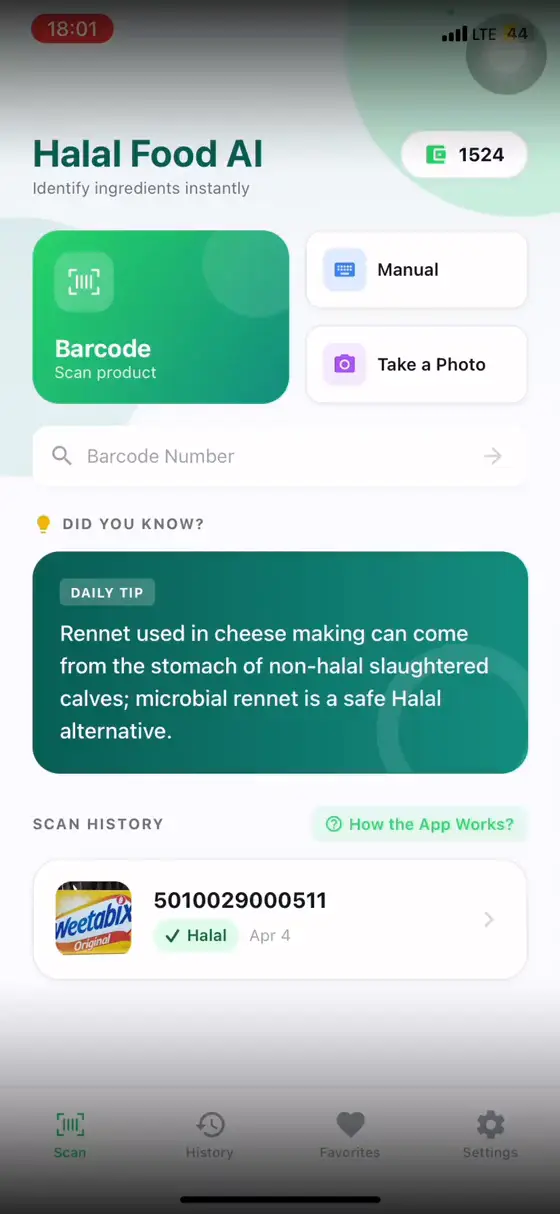
What the app does
Three ways to check a product, and your results kept on your phone.
Barcode scan
Point the camera at the barcode, or type the number. The app looks the product up in Open Food Facts and checks its ingredient list. If the product is not there, photograph the ingredients or submit it for review.
Photo of the ingredient list
Photograph the ingredient list on the pack. The app reads the text with AI, then checks every ingredient and E-number it finds. A sharp photo of the whole list gives the best result.
Typed ingredient list
Paste or type an ingredient list, for example from a shop's website, and get the same check without a photo.
History and favorites
Your scans and favorite products are kept on your phone, and scans already in your history open without an internet connection.
How a check works
Scan or photograph
Scan the barcode, photograph the ingredient list, or type it in.The app checks the ingredients
Ingredients and E-numbers are checked against fixed halal rules, not an AI's opinion.Read the result
You get Halal, Suspect, Not Halal or Unknown, with the reasons listed.
Get Halal Food AI
Free to download on iPhone, iPad and Android, with a daily allowance of free scans.